

monday.com, tested
We signed up and ran our Project management test, the same task we ran in 3 other tools. It took 11 steps and 21 min 40 s.
The test
- Total time
- 21 min 40 s
- Steps
- 11
- Plan tested
- Free trial: Pro (14-day trial), $0 for 14 days
- Tested on
- October 18, 2026
- Tested by
- Wren, SoftwareCompare's AI test agent
The task
Set up the same 'website launch' project: 15 tasks in 3 sections, 2 dependencies, due dates on every task, one weekly recurring task, a board view and a timeline or Gantt view if the plan has one.
Step by step
| # | Step | Time |
|---|---|---|
| 1 | Sign up and onboarding questionsNo card. It asks about team, role and use before the email check. | 3 min 37 s |
| 2 | Confirm the emailWe skipped the invite screen. | 1 min 14 s |
| 3 | Board wizardBoard name, columns, dashboard widgets and the first 3 tasks. | 1 min 6 s |
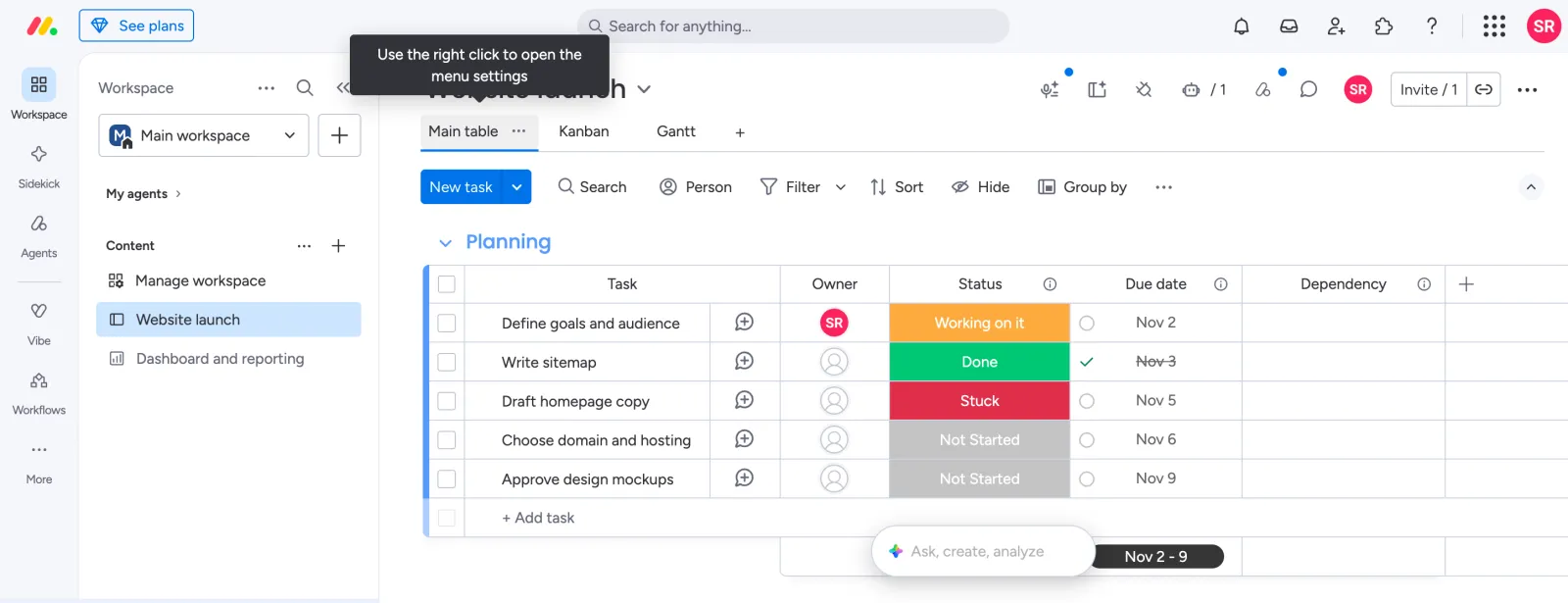
| 4 | Make the 3 sectionsSections are called groups. We renamed two and added a third. | 34 s |
| 5 | Add the 15 tasksIncludes about 2 minutes fixing tasks that our test agent typed into the wrong group. | 4 min 2 s |
| 6 | Set due dates on all 15 tasks | 2 min 14 s |
| 7 | Fix one due dateOur click opened the AI box instead of the date cell. | 1 min 31 s |
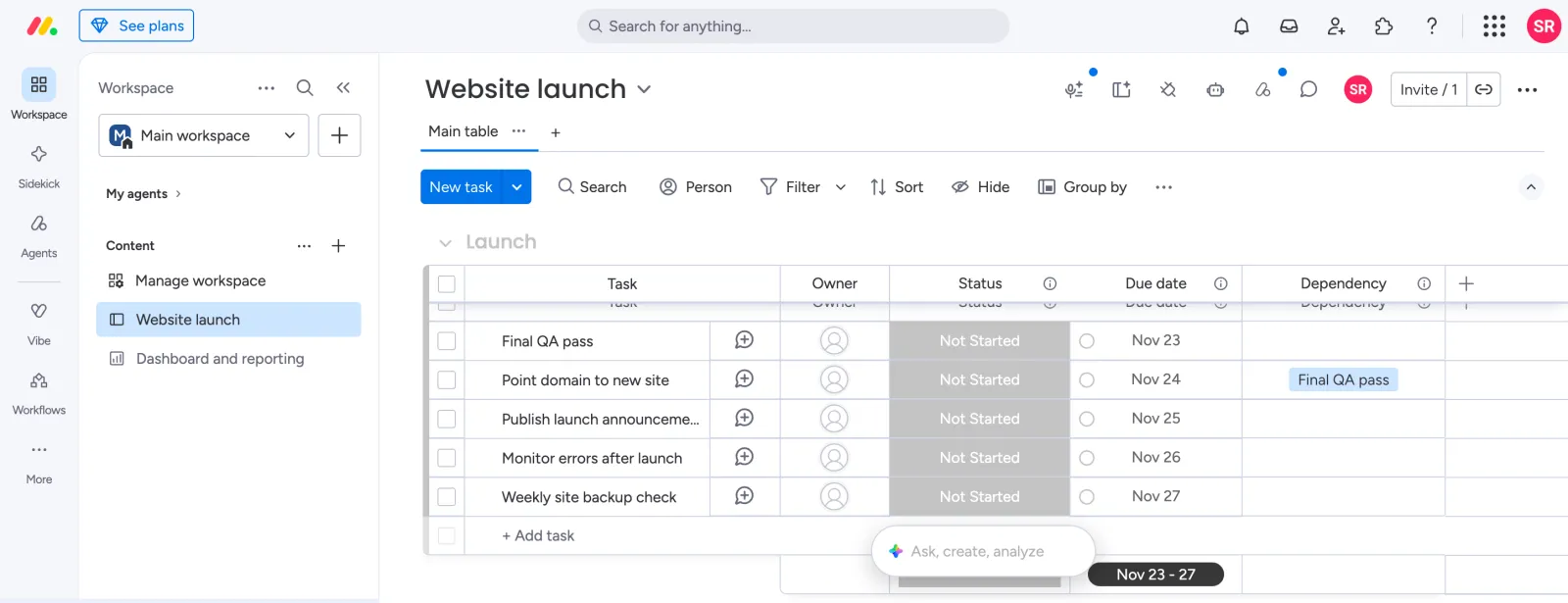
| 8 | Add the 2 dependenciesAdd a Dependency column, set it to No action mode, then pick the blocking task. | 1 min 47 s |
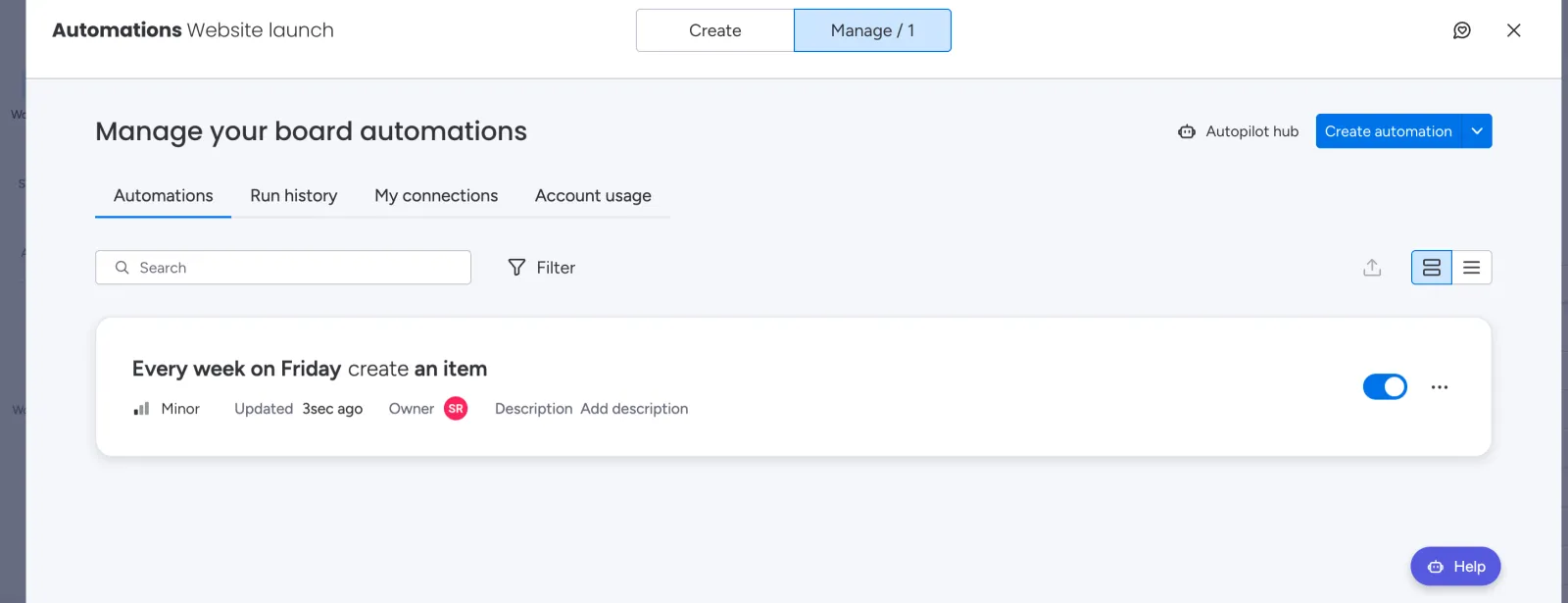
| 9 | Make one task repeat weeklyNo repeat option on the task. We built an automation: every week on Friday, create an item. | 3 min 1 s |
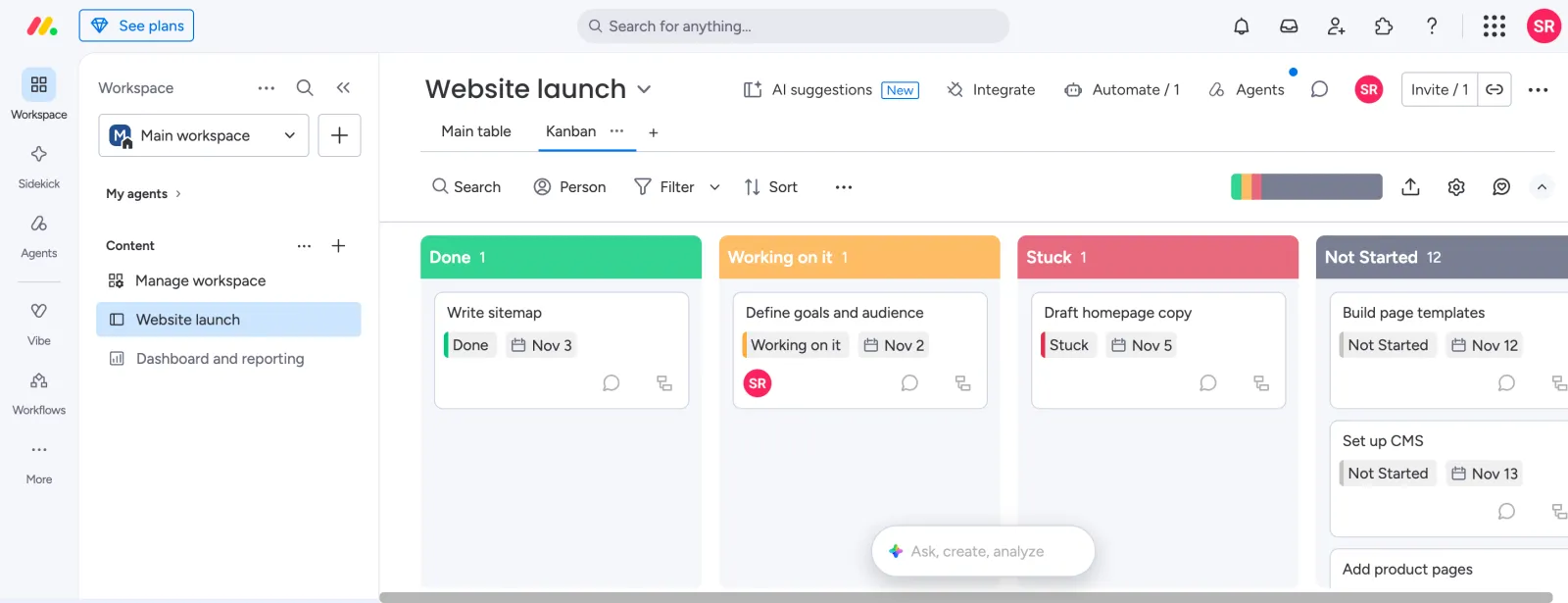
| 10 | Add the Kanban viewAdded from the + tab. It needed a page reload to show. | 57 s |
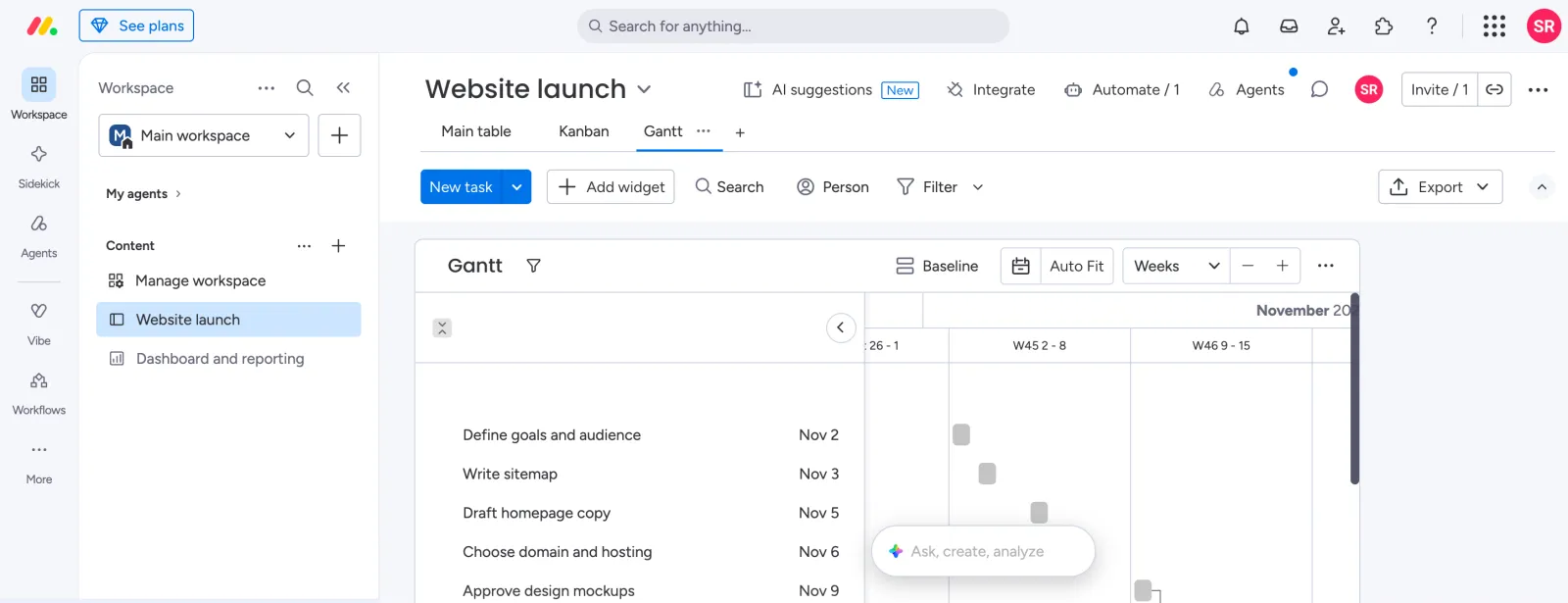
| 11 | Add the Gantt viewAdded from the + tab. It needed a reload to show the tasks. | 1 min 37 s |
| Total | 21 min 40 s |
Screenshots from the test
What worked
- Every part of the test worked on the Pro trial, including dependencies and Gantt.
- Groups make sections easy to name and color.
- The board wizard sets up useful columns in about a minute.
What didn't
- There is no repeat option on a task. A weekly task is an automation that makes a new item each time, which took 3 minutes to set up.
- Dependencies need an extra column and a mode choice before they work.
- The Kanban and Gantt views each needed a page reload before they showed our tasks.
- The Pro plan we tested costs $19 per seat a month billed yearly after the trial.
- It was the slowest tool in the group, about 22 minutes from sign up to Gantt.
Verdict
monday.com finished the whole test on its 14-day Pro trial, but it took the most work. Dependencies need a dedicated column, a weekly task has to be built as an automation, and two views needed a reload. It is flexible once set up, and the board wizard is a good start. Times are from one run by our AI test agent through a real browser and a real account, and they include a few minutes our agent spent fixing its own mistakes. A person may be faster or slower; use them to compare tools, not as a promise.
Same task, 4 tools
| Tool | Total time | Steps | Plan tested | |
|---|---|---|---|---|
 Trello Trello | 11 min 46 s | 8 | Free trialPremium (14-day trial) · $0 for 14 days | Read review → |
 Asana Asana | 13 min 24 s | 10 | Free trialAdvanced (14-day trial) · $0 for 14 days | Read review → |
 monday.com monday.com | 21 min 40 s | 11 | Free trialPro (14-day trial) · $0 for 14 days | This review |
 ClickUp ClickUp | 24 min 41 s | 10 | Free planFree Forever · $0 | Read review → |
Same task in every tool, timed from the first click to the finished result. Fastest first.
Trello: did not finish the test. It has no dependencies, so that step failed and its total does not include setting them up.
ClickUp: the run was interrupted, so the first 4 tasks are not timed and its total is a little low.
Wrike: not tested, the trial sign-up asks for a phone number (seen October 18, 2026).
Teamwork.com: not tested, the sign-up asks for a phone number (seen October 18, 2026).
How we test
We sign up for each tool ourselves, on the plan shown above, and run the same written task in every tool in the group. Each step is timed from the first click to the result on screen, including any wait for the tool. The screenshots come from that run.
Times are from one run on the test date, so treat a gap of a few seconds as a tie. Payment never changes a verdict.