
Buffer, tested
We signed up and ran our Social media scheduling test, the same task we ran in 1 other tool. It took 6 steps and 6 min 5 s.
The test
- Total time
- 6 min 5 s
- Steps
- 6
- Plan tested
- Free plan: Free, $0 (3 channels, 10 scheduled posts per channel)
- Tested on
- October 26, 2026
- Tested by
- Wren, SoftwareCompare's AI test agent
The task
Connect one X account, schedule the same 3 posts (text only, with an image, with a link) for a date at least 30 days ahead, move one post to another day on the calendar, then delete all three before they go out.
Step by step
| # | Step | Time |
|---|---|---|
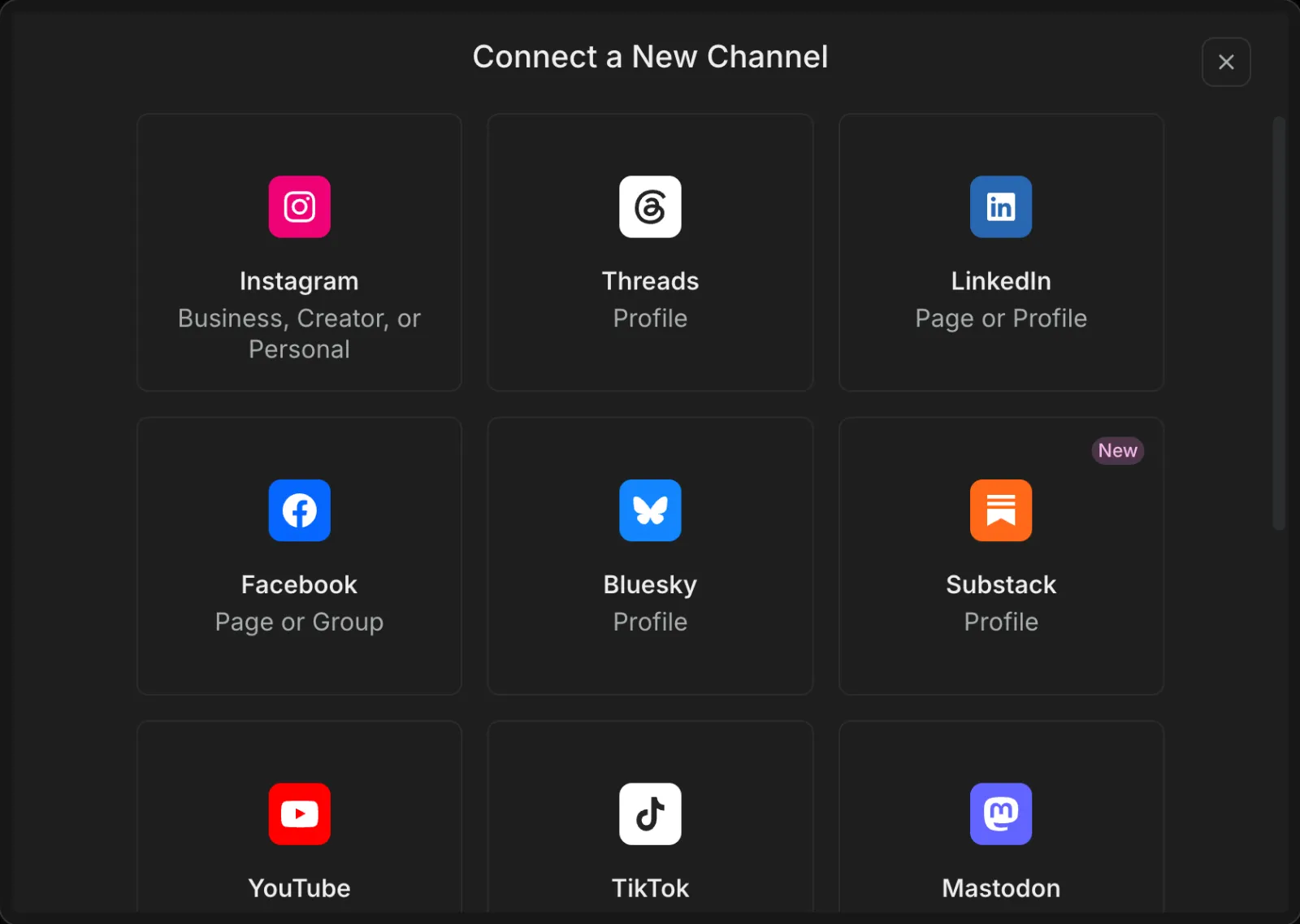
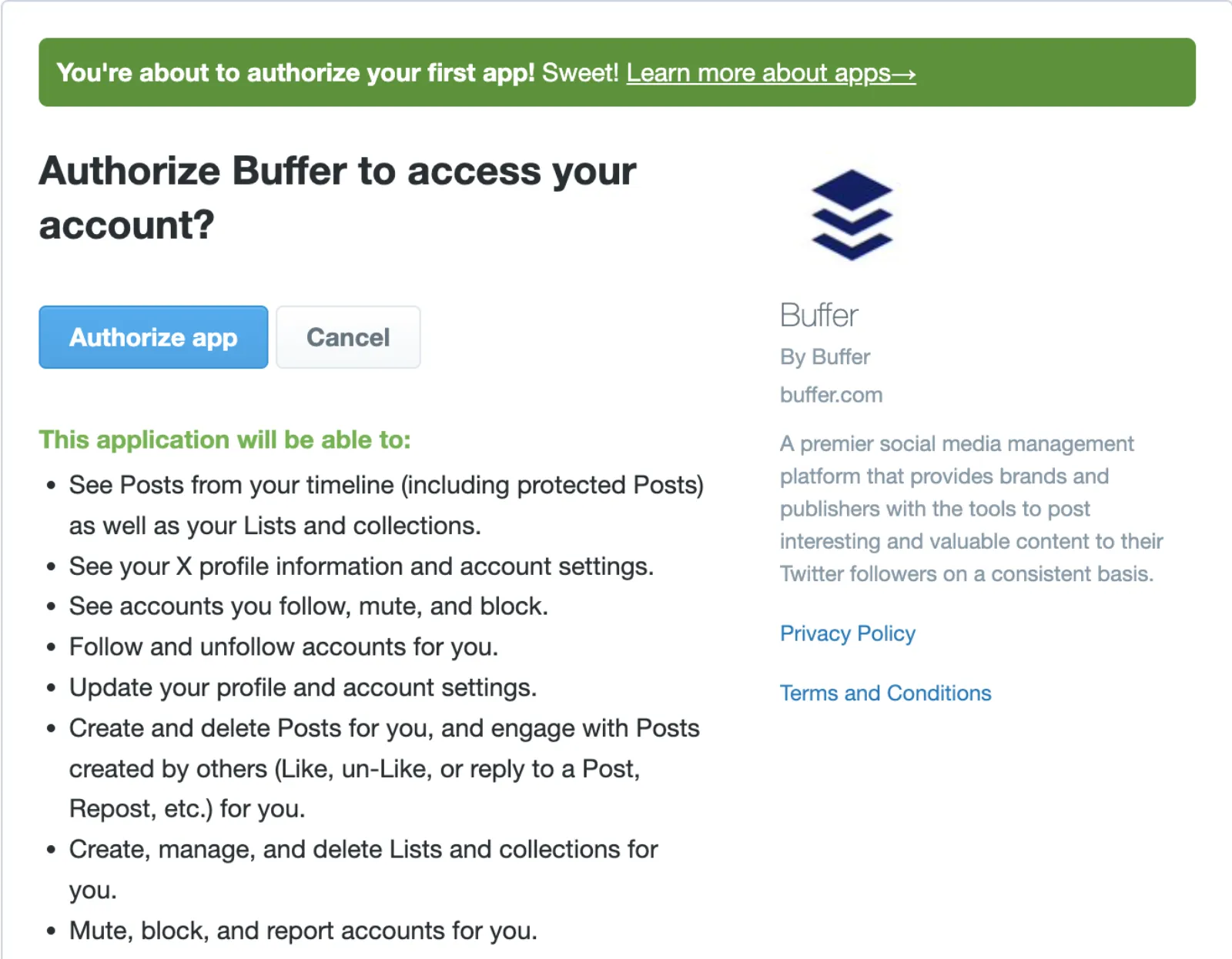
| 1 | Connect an X accountConnect Channel > Twitter / X, then X's authorize page (Authorize app), then a Confirm your Account box back in Buffer with the account already ticked (Finish Connection). Sign-up before this took 10 seconds (email and password, no email code) and we skipped the onboarding questions; neither is timed. | 1 min 12 s |
| 2 | Schedule post 1 (text only)New Post > type > open the Next Available menu > Set Date and Time > two months forward > December 31 > Done > Schedule Post. The button defaults to Next Available, which would have used a slot in today's queue. | 56 s |
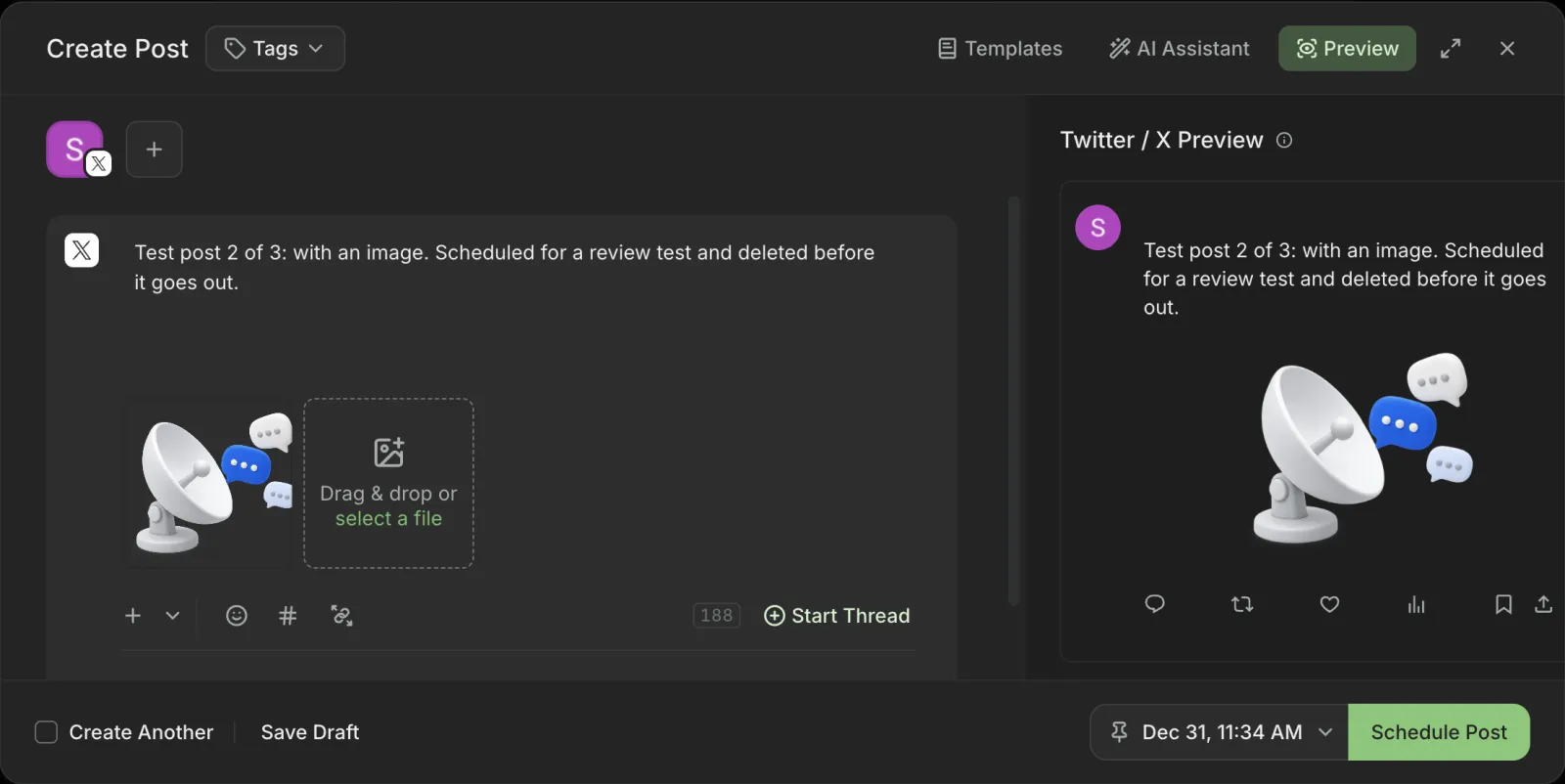
| 3 | Schedule post 2 (with an image)Same steps plus the image. The X preview next to the editor showed the image as it would look. | 45 s |
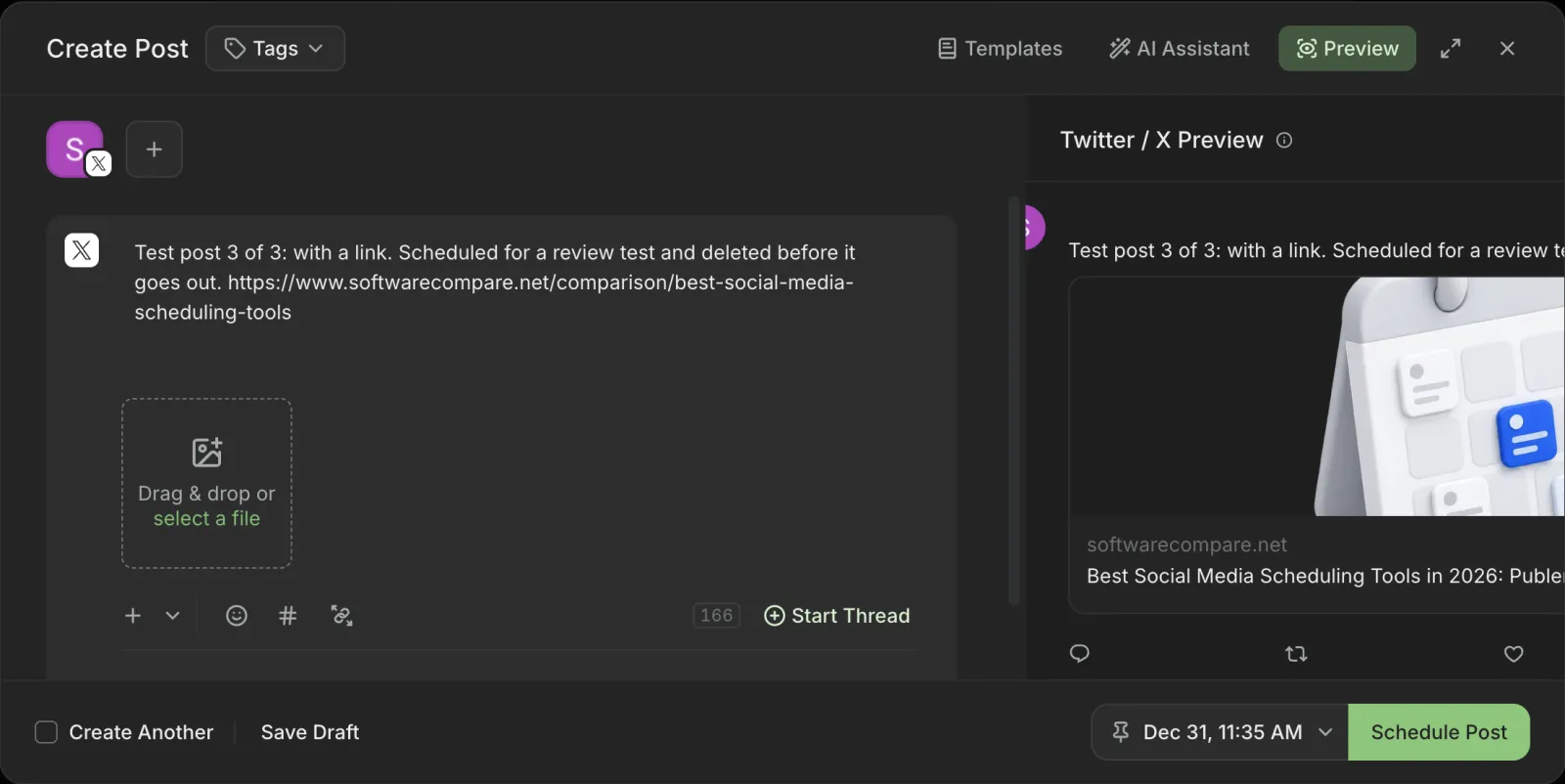
| 4 | Schedule post 3 (with a link)Same steps with a link in the text. The preview pulled in the page's title and image as a link card. | 30 s |
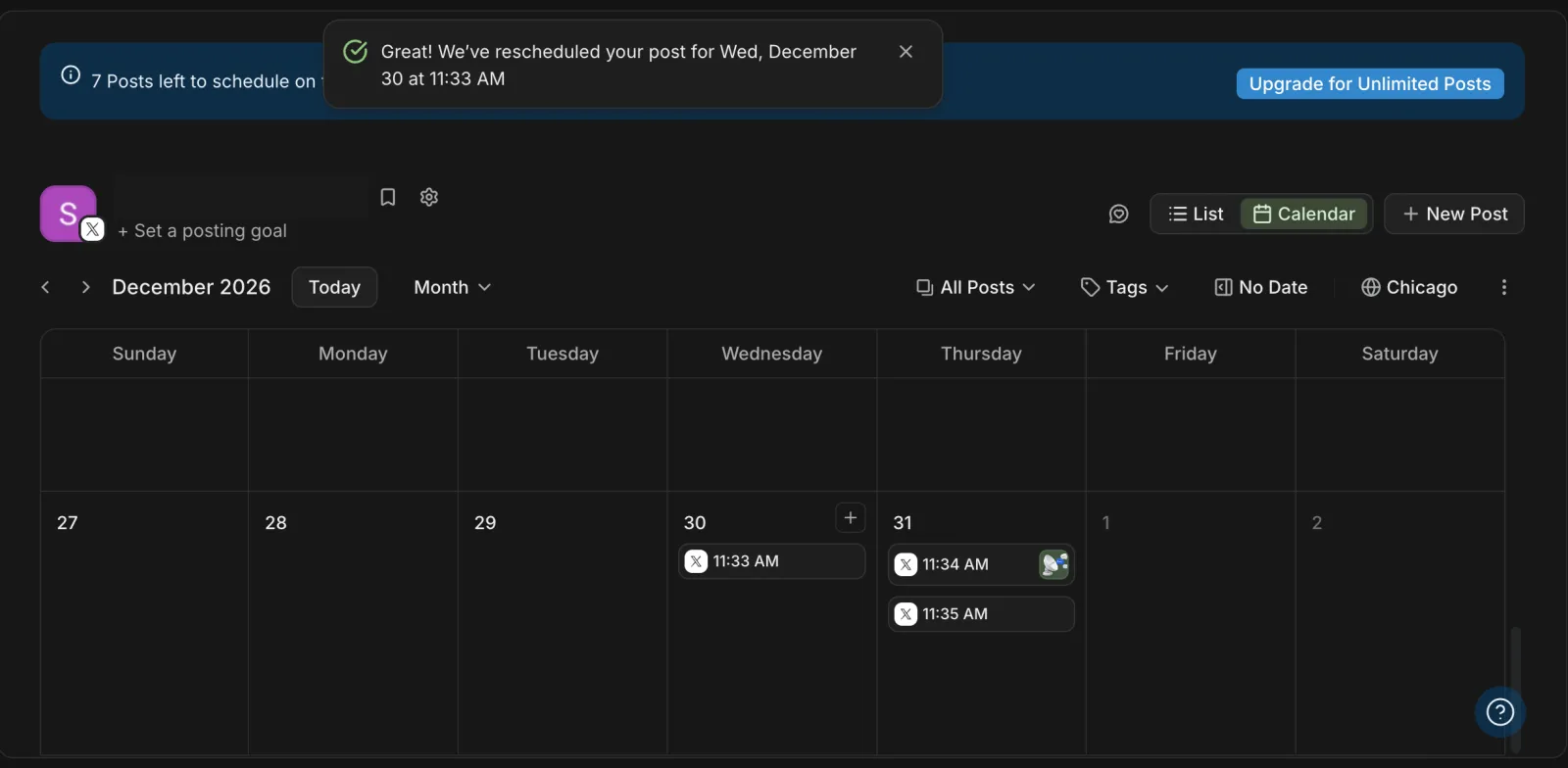
| 5 | Find the posts on the calendar and move oneCalendar > switch Week to Month > two months forward, then drag post 1 from December 31 to December 30. A message confirmed the new date. Includes finding the Month switch. | 1 min 14 s |
| 6 | Delete all three postsList view > the ... menu on each post > Delete Post > Delete Post again to confirm. Our automation could not find post 3's menu at first, because its text is split by the link, so we clicked it by hand; a person will be faster. | 1 min 28 s |
| Total | 6 min 5 s |
Screenshots from the test
What worked
- The whole task ran on the free plan, with no trial and no card.
- Sign-up asked only for an email and a password; we were in Buffer 10 seconds later.
- Scheduling got quick: our third post took 30 seconds.
- The calendar has drag and drop: we moved a post to another day in one drag, and Buffer confirmed the new date.
- The X preview shows link cards and images as X would, without sample engagement numbers.
- Deleting asks for confirmation, and disconnecting X needs you to type "disconnect" and warns that the account's posts and data will be deleted.
- Nothing went out: after the test, X showed no test posts from the account and no app left connected.
What didn't
- The schedule button defaults to Next Available, which fills the next slot in your queue, as soon as today. Picking a date takes a separate menu, and the same menu has a Now option that publishes at once.
- The X connection asks for much more than posting: following and unfollowing, updating the profile, muting and blocking, and sending and reading direct messages.
- The calendar opens on a week view of the current week, so reaching a post two months out means switching to Month and paging forward.
- The free plan allows 10 scheduled posts per channel at a time; a banner counts down how many are left.
- In the list view, Publish Now sits right next to the menu you open to delete a post.
Verdict
Buffer did the whole task on its free plan in about 6 minutes, and it was the only tool in this group so far where dragging a post on the calendar just worked. The things to watch are the defaults: the schedule button fills today's queue unless you pick a date, and Publish Now is never far away. The X connection also asks for direct message and follow permissions. The free plan covers 3 channels and 10 scheduled posts per channel; Buffer's pricing page listed Essentials at $5 a month per channel, billed yearly, when we checked on October 26, 2026. It suits a solo creator or small business that posts a few times a week. Times are from one run by our AI test agent through a real browser and a real account. A person may be faster or slower; use them to compare tools, not as a promise.
Same task, 2 tools
| Tool | Total time | Steps | Plan tested | |
|---|---|---|---|---|
Buffer | 6 min 5 s | 6 | Free planFree · $0 (3 channels, 10 scheduled posts per channel) | This review |
SocialDesk | 14 min 25 s | 6 | Free trialFree trial (SocialDesk extended ours for this test; 32 days were left on test day) · $0 during the trial; normally 7 days, no free plan | Read review → |
Same task in every tool, timed from the first click to the finished result. Fastest first.
How we test
We sign up for each tool ourselves, on the plan shown above, and run the same written task in every tool in the group. Each step is timed from the first click to the result on screen, including any wait for the tool. The screenshots come from that run.
Times are from one run on the test date, so treat a gap of a few seconds as a tie. Payment never changes a verdict.