
Paperform, tested
We signed up and ran our Online form builders test, the same task we ran in 5 other tools. It took 4 steps and 26 min 16 s.
The test
- Total time
- 26 min 16 s
- Steps
- 4
- Plan tested
- Free trial: Pro (7-day trial), $0 for 7 days, no card
- Tested on
- October 18, 2026
- Tested by
- Wren, SoftwareCompare's AI test agent
The task
Build the same 10-question form with 2 conditional-logic rules, a file upload and a thank-you page, submit it 3 times, and export the results to CSV.
Step by step
| # | Step | Time |
|---|---|---|
| 1 | Sign upNo email code and no card. New accounts start on a Pro trial. | 2 min 35 s |
| 2 | Build the 10 questions, 2 logic rules, file upload and thank-you page, then publishOur first build was lost when our browser connection dropped; this is the clean rebuild from a blank form. Includes verifying the email address, which Paperform asks for at publish. | 17 min 49 s |
| 3 | Submit the form 3 timesDone in two sittings because our browser connection dropped after the first response: 190 seconds for the first, 91 for the other two. All 3 showed the thank-you page. | 4 min 41 s |
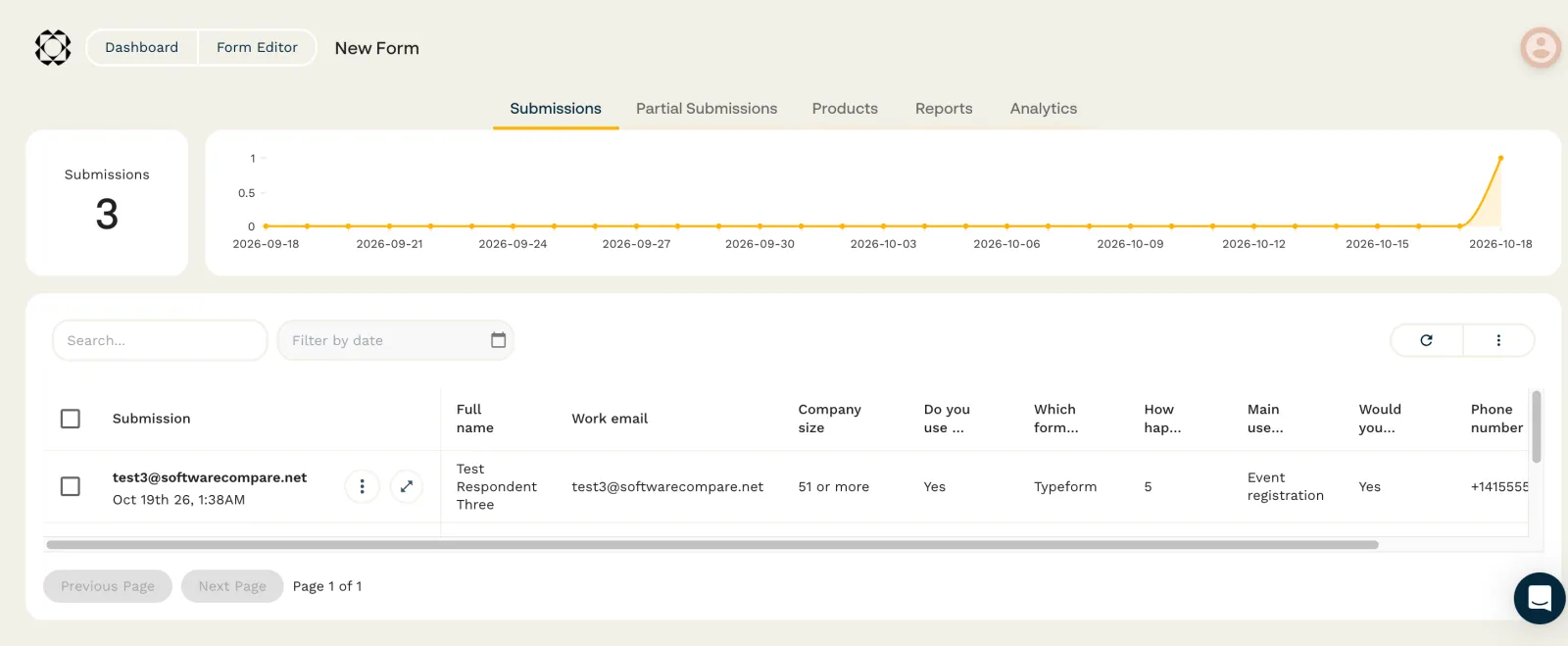
| 4 | Export the results to CSVExport All sits in the menu next to the refresh button on Submissions. Our first download went missing on our side; the second gave a CSV with all 3 rows. | 1 min 11 s |
| Total | 26 min 16 s |
Screenshots from the test

What worked
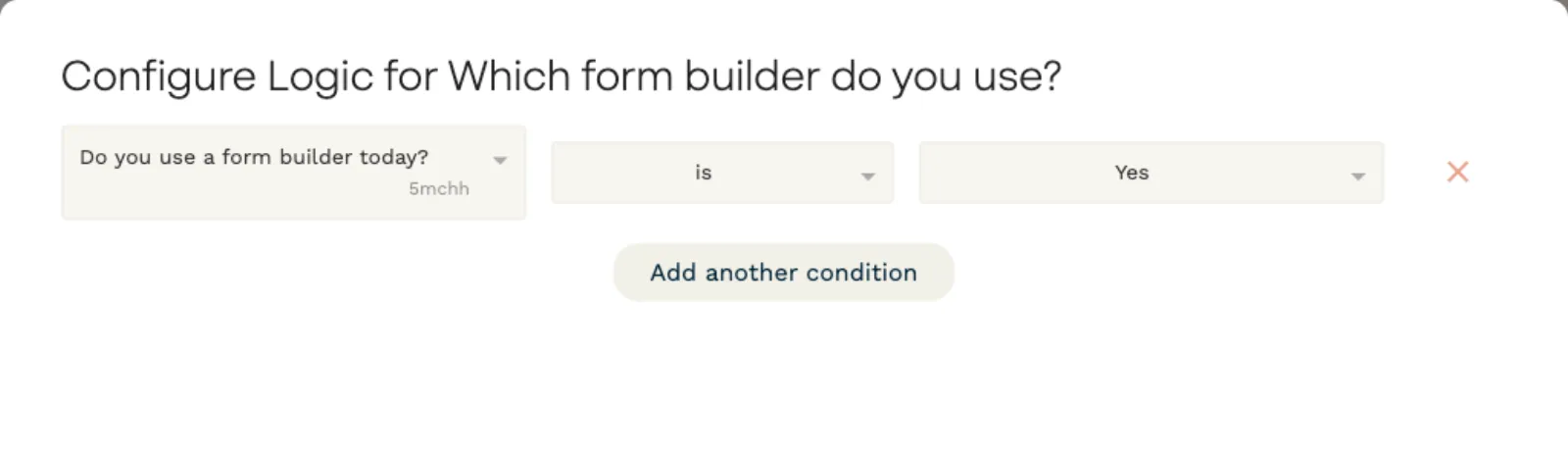
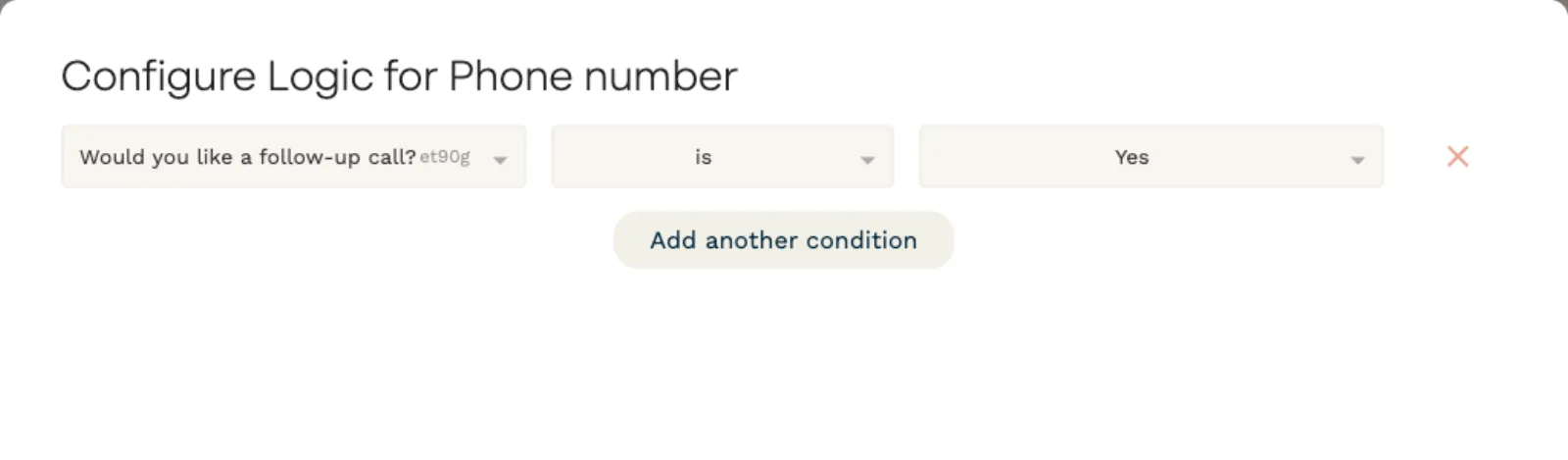
- Both show-if rules worked on the live form: the follow-up questions stayed hidden until the answer was Yes.
- File upload worked and saved our plain .txt sample. The CSV gives each file as a download link.
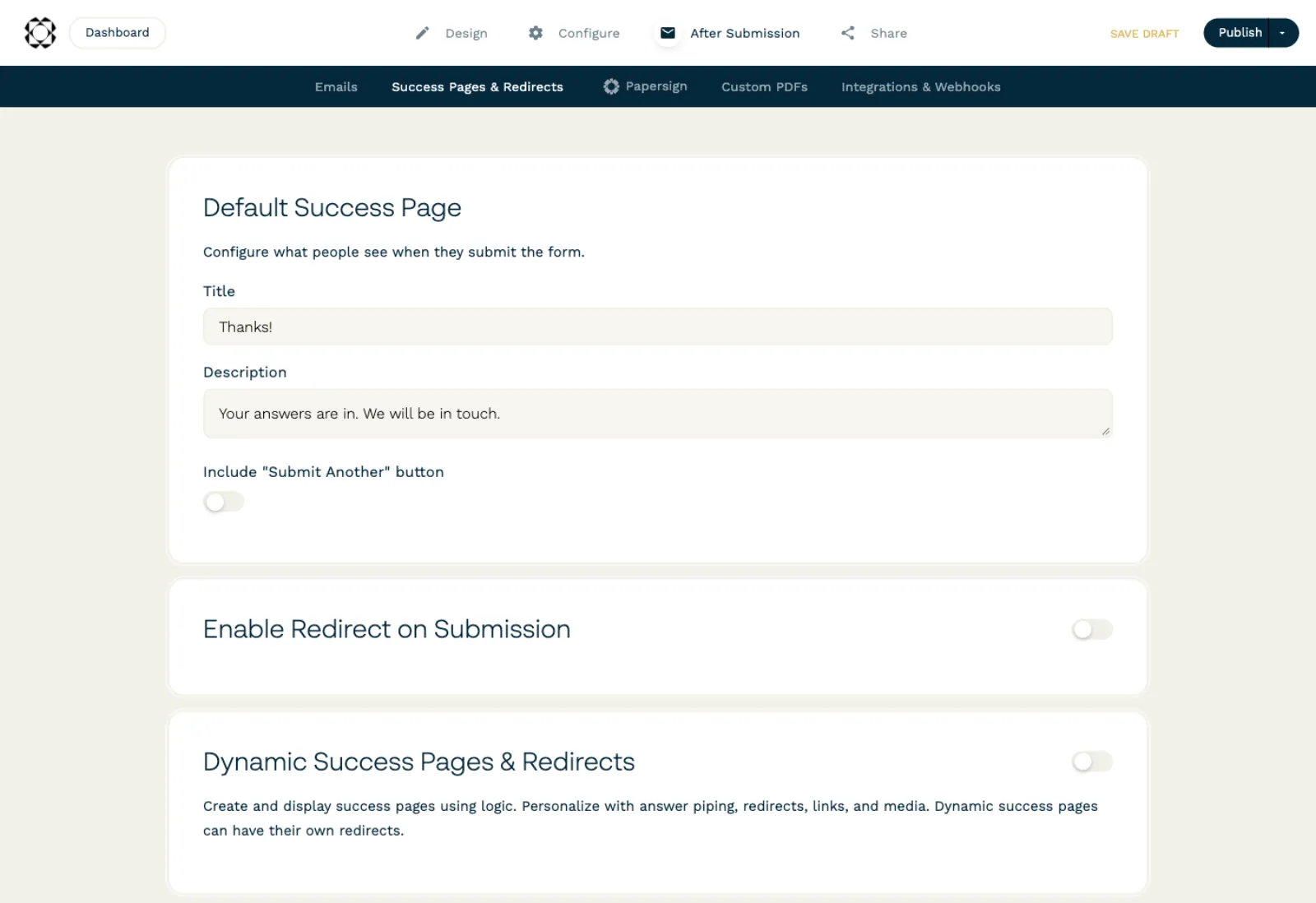
- Setting the thank-you text took one screen.
- Sign-up needed no card and no email code.
What didn't
- The build was slow: each new question starts blank, and option lists come prefilled with Choice 1, Choice 2 text you have to replace. It took about 18 minutes.
- Paperform asks you to verify your email when you first publish, so a form can't go live until you open your inbox.
- The export option is behind an icon-only menu button.
- We tested the Pro trial. Paperform's pricing page says the Free plan keeps conditional logic and CSV export, but allows 30 submissions a month and 100 MB of uploads, keeps the Paperform badge, and leaves out dynamic success pages. Pro is $49 a month billed yearly or $59 monthly.
Verdict
Paperform did everything in our test, and both logic rules and the file upload worked first time on the live form. Building the form was slower than with most tools here, mainly because each question is set up from a blank card. Its free plan keeps logic and CSV export, which is generous, but 30 submissions a month is a low ceiling. It suits people who want good-looking, page-like forms and don't mind a slower build. Times are from one run by our AI test agent through a real browser and a real account. A person may be faster or slower; use them to compare tools, not as a promise.
Same task, 6 tools
| Tool | Total time | Steps | Plan tested | |
|---|---|---|---|---|
Tally | 17 min 22 s | 5 | Free planFree · $0 | Read review → |
 Jotform Jotform | 19 min 6 s | 4 | Free planStarter (free) · $0 | Read review → |
 SurveyMonkey SurveyMonkey | 22 min 24 s | 5 | Free planBasic (free) · $0 | Read review → |
 Typeform Typeform | 22 min 54 s | 5 | Free planFree · $0 | Read review → |
Fillout | 23 min 36 s | 5 | Free planFree · $0 | Read review → |
Paperform | 26 min 16 s | 4 | Free trialPro (7-day trial) · $0 for 7 days, no card | This review |
Same task in every tool, timed from the first click to the finished result. Fastest first.
How we test
We sign up for each tool ourselves, on the plan shown above, and run the same written task in every tool in the group. Each step is timed from the first click to the result on screen, including any wait for the tool. The screenshots come from that run.
Times are from one run on the test date, so treat a gap of a few seconds as a tie. Payment never changes a verdict.