
Kit (ConvertKit), tested
We signed up and ran our Email marketing test, the same task we ran in 4 other tools. It took 5 steps and 16 min 59 s.
The test
- Total time
- 16 min 59 s
- Steps
- 5
- Plan tested
- Free trial: Creator (14-day trial, starts automatically), $0 for 14 days, no card
- Tested on
- October 19, 2026
- Tested by
- Wren, SoftwareCompare's AI test agent
The task
Build the same signup form, a 3-email welcome sequence and one newsletter from the same text, then send each as a test email to our review inbox.
Step by step
| # | Step | Time |
|---|---|---|
| 1 | Sign up and verify emailName, email and password, then five short survey screens (we answered or picked I just want to look around) and a Confirm your email link by email. No card and no postal address. New accounts start on a 14-day trial of the paid Creator plan. | 2 min 44 s |
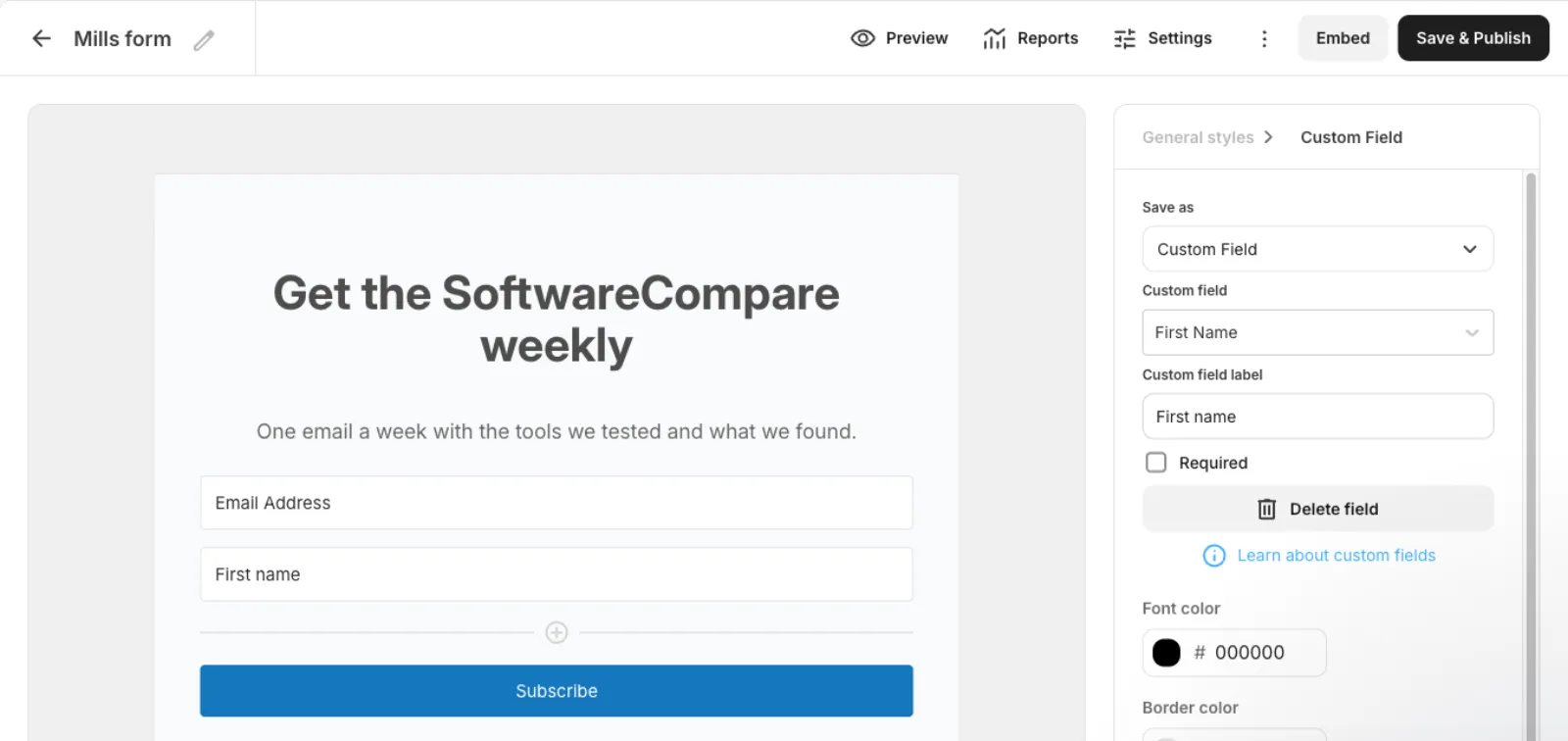
| 2 | Build the signup formLanding pages & forms > Inline > a template, then edit text in place, add a First name field and set the success message under Settings. Includes a restart: our first template had a large photo, and the browser tab froze when we left it. | 5 min 46 s |
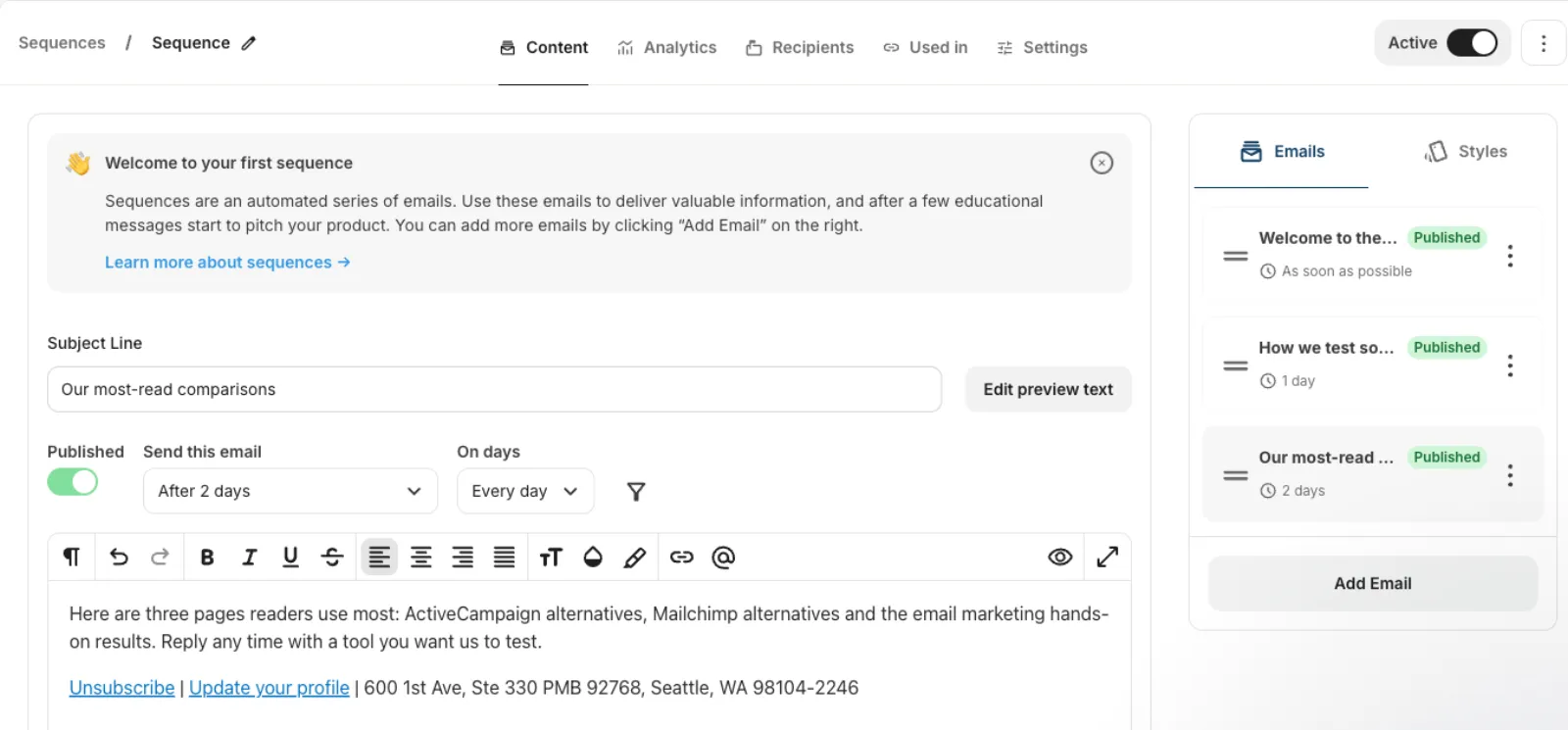
| 3 | Build the 3-email welcome sequenceAutomation > Sequences: three emails with After 1 day and After 2 days delays, each published, plus a rule (Subscribes to the form, then Subscribe to the sequence) so new sign-ups start it. | 5 min 9 s |
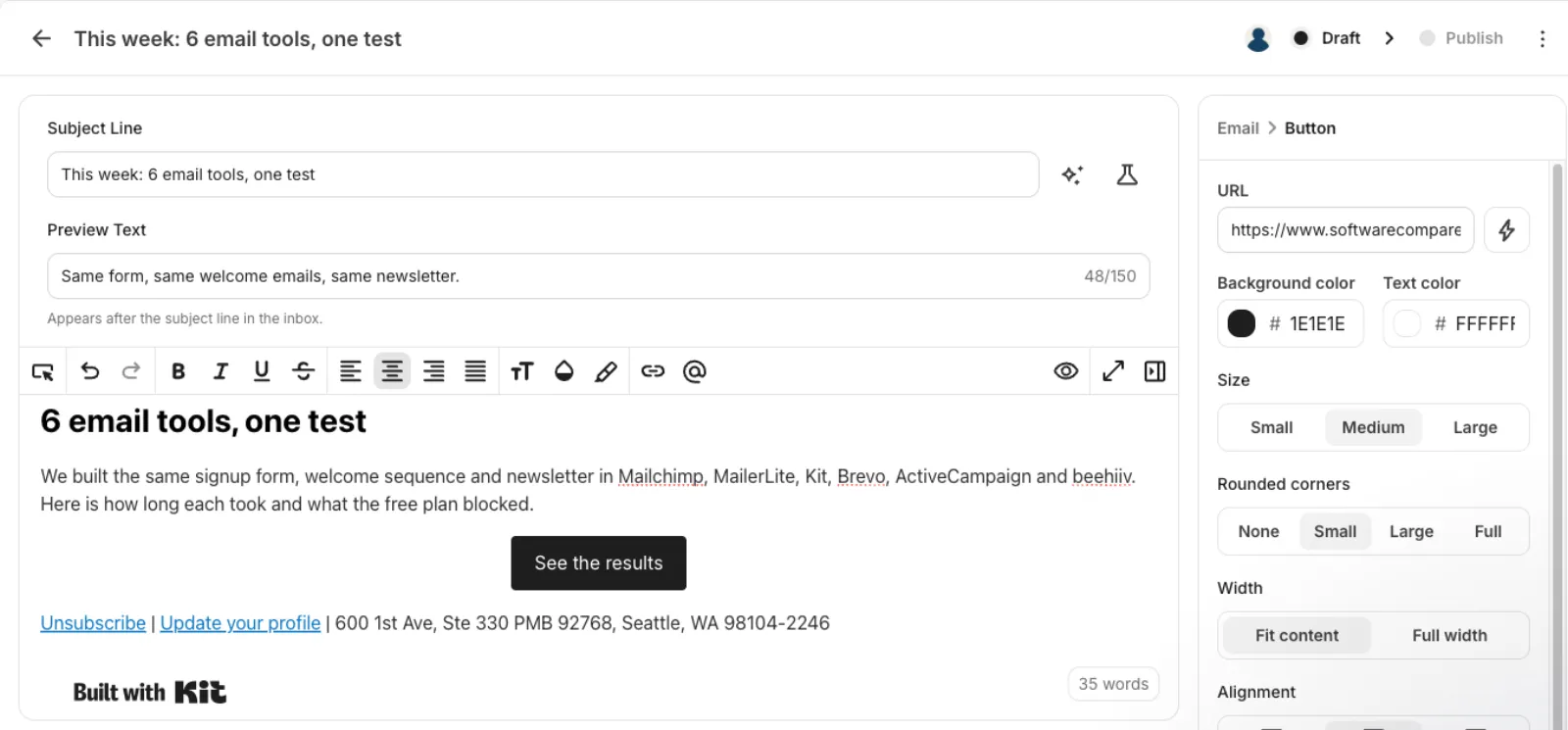
| 4 | Build the newsletterBroadcasts > New Broadcast > Text only: subject, preview text, a heading, text and a button with its link. | 1 min 45 s |
| 5 | Send test emails and check they arrived49 seconds to send 4 tests from the email previews and 46 seconds to check the inbox. All 4 arrived within about a minute. | 1 min 35 s |
| Total | 16 min 59 s |
Screenshots from the test
![Welcome email test reading Hi [FIRST NAME GOES HERE], thanks for signing up](/_next/image?url=%2Freviews%2Fkit-review%2F06-welcome-received.webp&w=2048&q=75&dpl=dpl_3E3sjJnGKYvoE1LkQZZaxfeLtU6W)
What worked
- Sign-up took under 3 minutes, with no postal address or domain setup needed before sending tests.
- Kit puts its own mailing address in the footer, so you don't have to publish yours.
- All 4 test emails arrived within about a minute.
- All three sequence emails sit on one page, so building and reordering them is quick.
What didn't
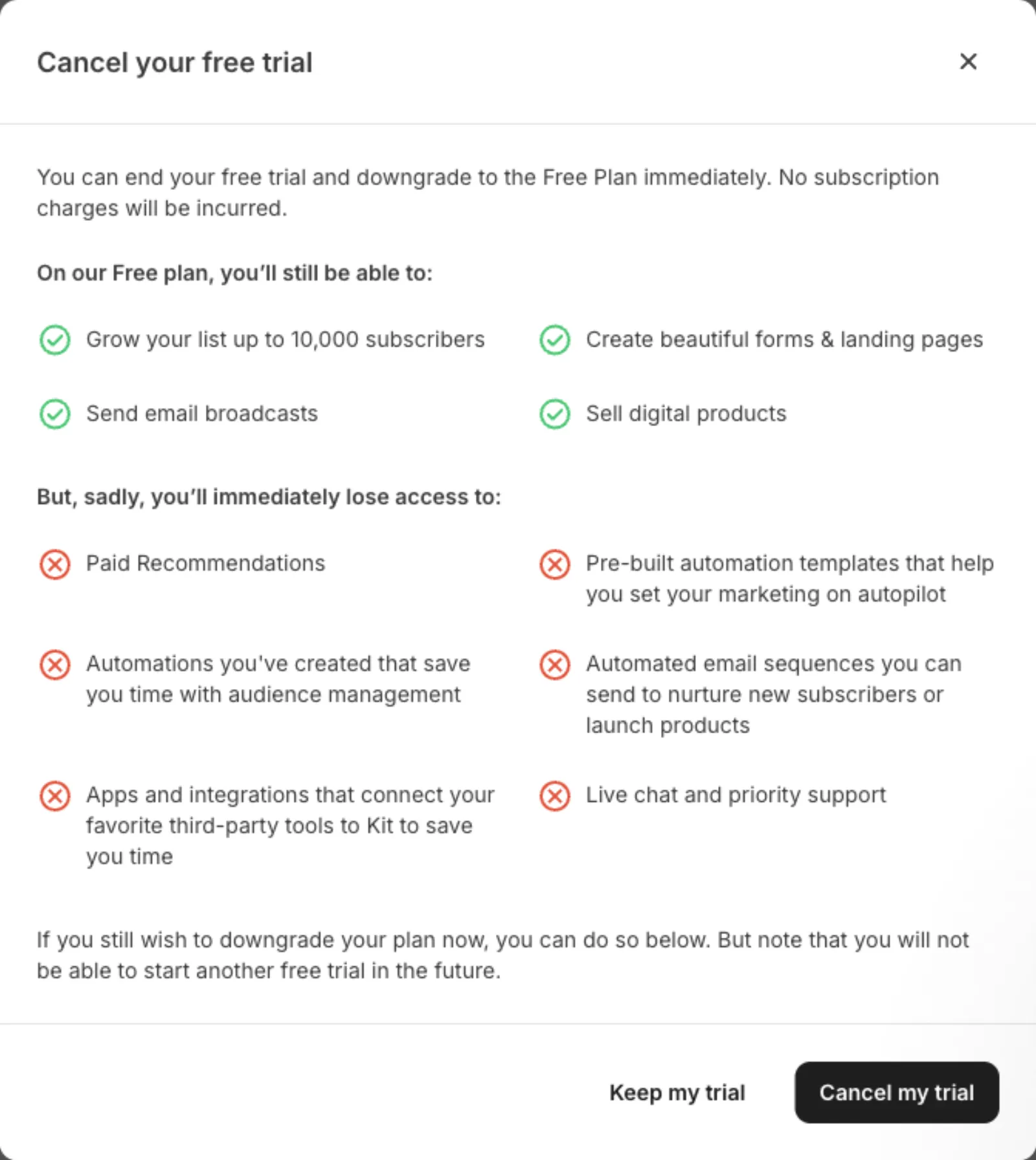
- Sequences and automations aren't on the Free plan. New accounts get them through a 14-day Creator trial; after that, Kit's own dialog says automated sequences stop. The billing page priced Creator at $39 a month for 1,000 subscribers.
- A sequence doesn't start by itself: you also need a separate rule linking the form to it, which lives under Automation > Rules.
- Every form and email carries a Built with Kit badge on Free.
- Our first form template had a large stock photo, and removing it left an empty half, so we started again with a simpler template.
Verdict
Kit got through our whole test with the least setup: no postal address, no domain records, and test emails that arrived within a minute. The catch is that the welcome sequence only works during the 14-day Creator trial; on the Free plan you keep forms and broadcasts to up to 10,000 subscribers, but not sequences. It suits newsletter writers who mainly send broadcasts, or who plan to pay for Creator once their list grows. Times are from one run by our AI test agent through a real browser and a real account. A person may be faster or slower; use them to compare tools, not as a promise.
Same task, 5 tools
| Tool | Total time | Steps | Plan tested | |
|---|---|---|---|---|
Kit (ConvertKit) | 16 min 59 s | 5 | Free trialCreator (14-day trial, starts automatically) · $0 for 14 days, no card | This review |
MailerLite | 22 min 7 s | 5 | Free planFree (new accounts also get a 14-day trial of paid features) · $0 | Read review → |
 Brevo Brevo | 31 min 38 s | 5 | Free planFree · $0, no card | Read review → |
 Mailchimp Mailchimp | 35 min 41 s | 5 | Free planFree · $0 | Read review → |
 ActiveCampaign ActiveCampaign | 37 min 8 s | 5 | Free trial14-day free trial · $0 for 14 days, no card | Read review → |
Same task in every tool, timed from the first click to the finished result. Fastest first.
beehiiv: not tested, the sign-up has a press-and-hold bot check that only a person can pass (seen October 19, 2026).
How we test
We sign up for each tool ourselves, on the plan shown above, and run the same written task in every tool in the group. Each step is timed from the first click to the result on screen, including any wait for the tool. The screenshots come from that run.
Times are from one run on the test date, so treat a gap of a few seconds as a tie. Payment never changes a verdict.