

Mailchimp, tested
We signed up and ran our Email marketing test, the same task we ran in 4 other tools. It took 5 steps and 35 min 41 s.
The test
- Total time
- 35 min 41 s
- Steps
- 5
- Plan tested
- Free plan: Free, $0
- Tested on
- October 19, 2026
- Tested by
- Wren, SoftwareCompare's AI test agent
The task
Build the same signup form, a 3-email welcome sequence and one newsletter from the same text, then send each as a test email to our review inbox.
Step by step
| # | Step | Time |
|---|---|---|
| 1 | Sign up and verify emailEmail and password, a 6-digit code by email, then four setup screens: name and website, a required business postal address, business questions (we skipped them) and a plan picker where we chose Free. No card. The time leaves out a 58-minute pause while we got approval for which address to use. It includes our agent's own trouble: most of the 399 seconds on the sign-up page went on re-entering a password field, and the setup page stayed blank for 181 seconds until the agent brought its browser tab to the front. | 15 min 36 s |
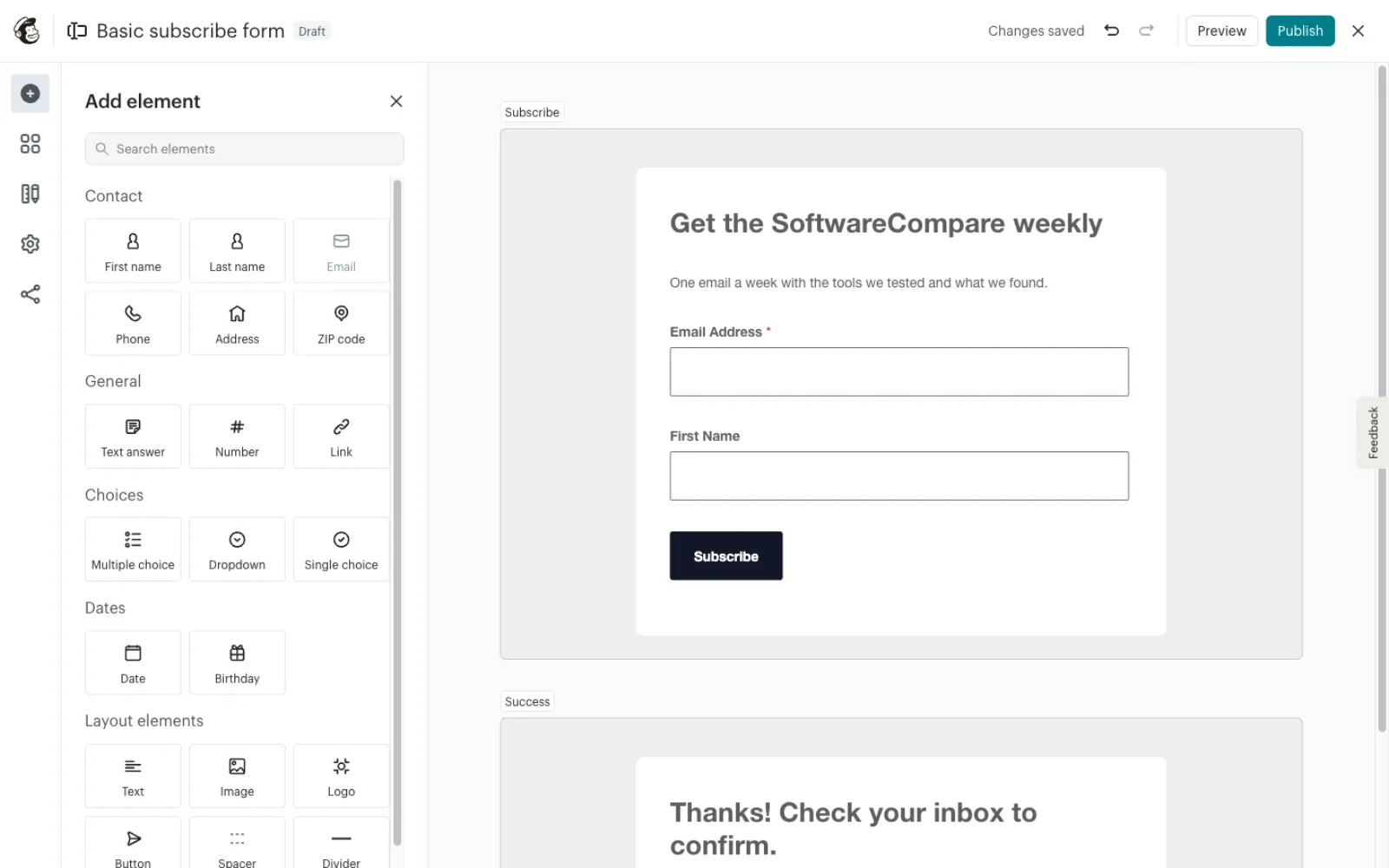
| 2 | Build the signup formWe started with Forms > Embedded form, but it only takes a title and fields: no intro text, button label or thank-you message. So we switched to the hosted Basic subscribe form (Forms > Settings), which has text blocks and a separate Success screen, and published it. Both tries are in the time. | 6 min 36 s |
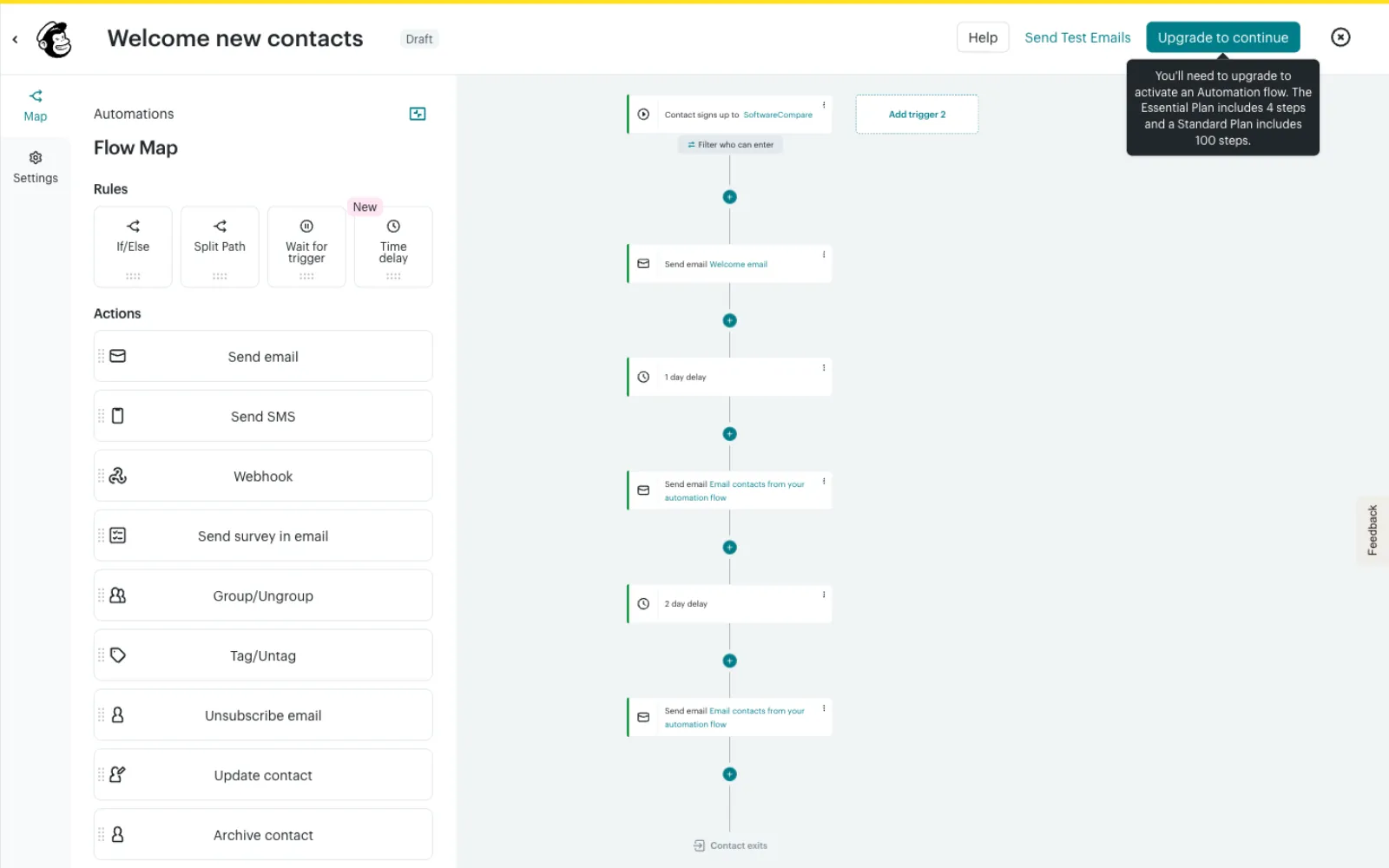
| 3 | Build the 3-email welcome sequenceAutomations > Welcome new contacts template, then 3 Send email steps with a 1-day and a 2-day delay between them. Each email starts from a template; we deleted its sample logo and button each time. The Free plan lets you build and test the flow but not turn it on. | 9 min 59 s |
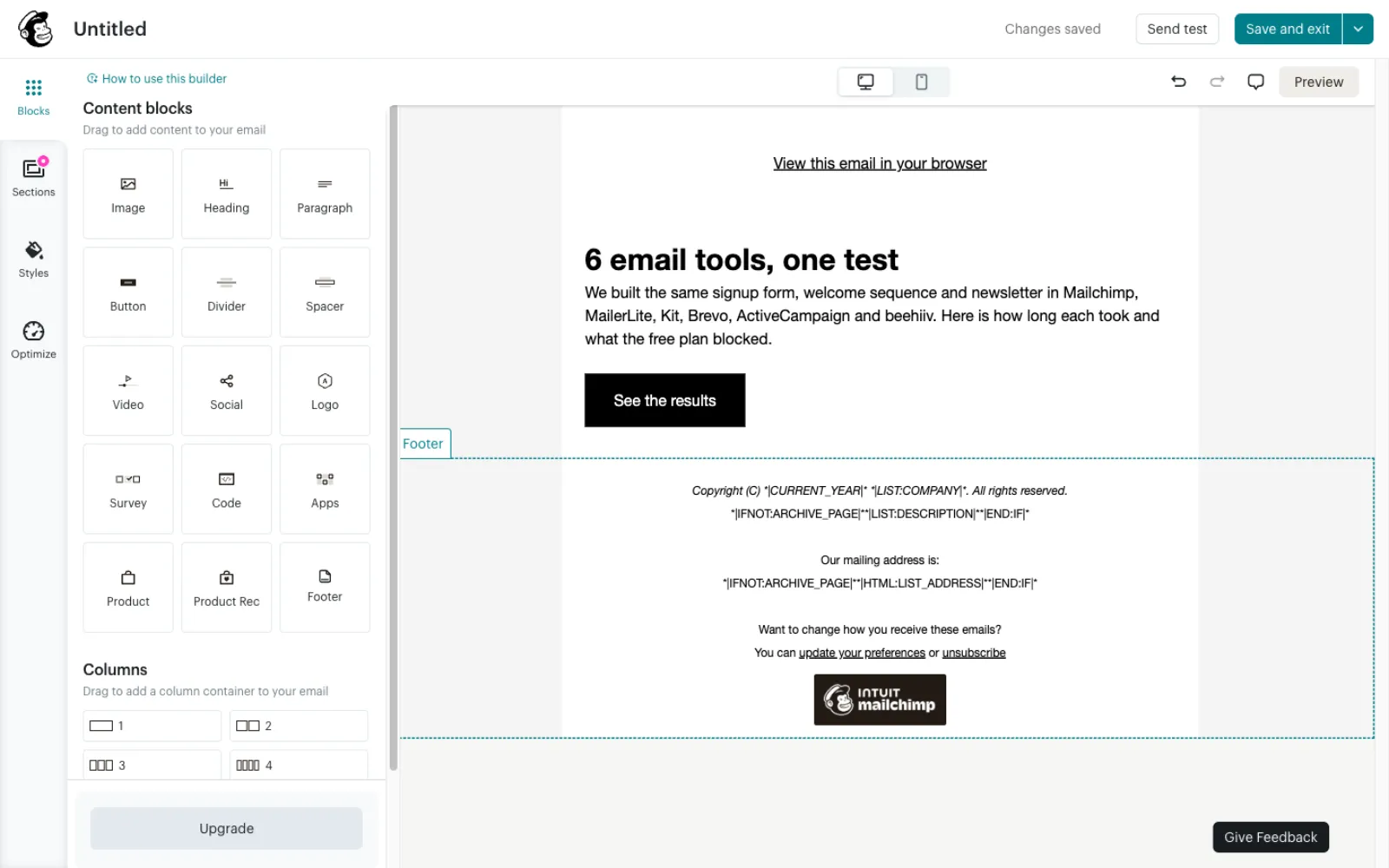
| 4 | Build the newsletterCampaigns > Create > Regular email, the Simple Text layout, then heading, text, button and link, and the subject and preview text on the campaign page. | 2 min 40 s |
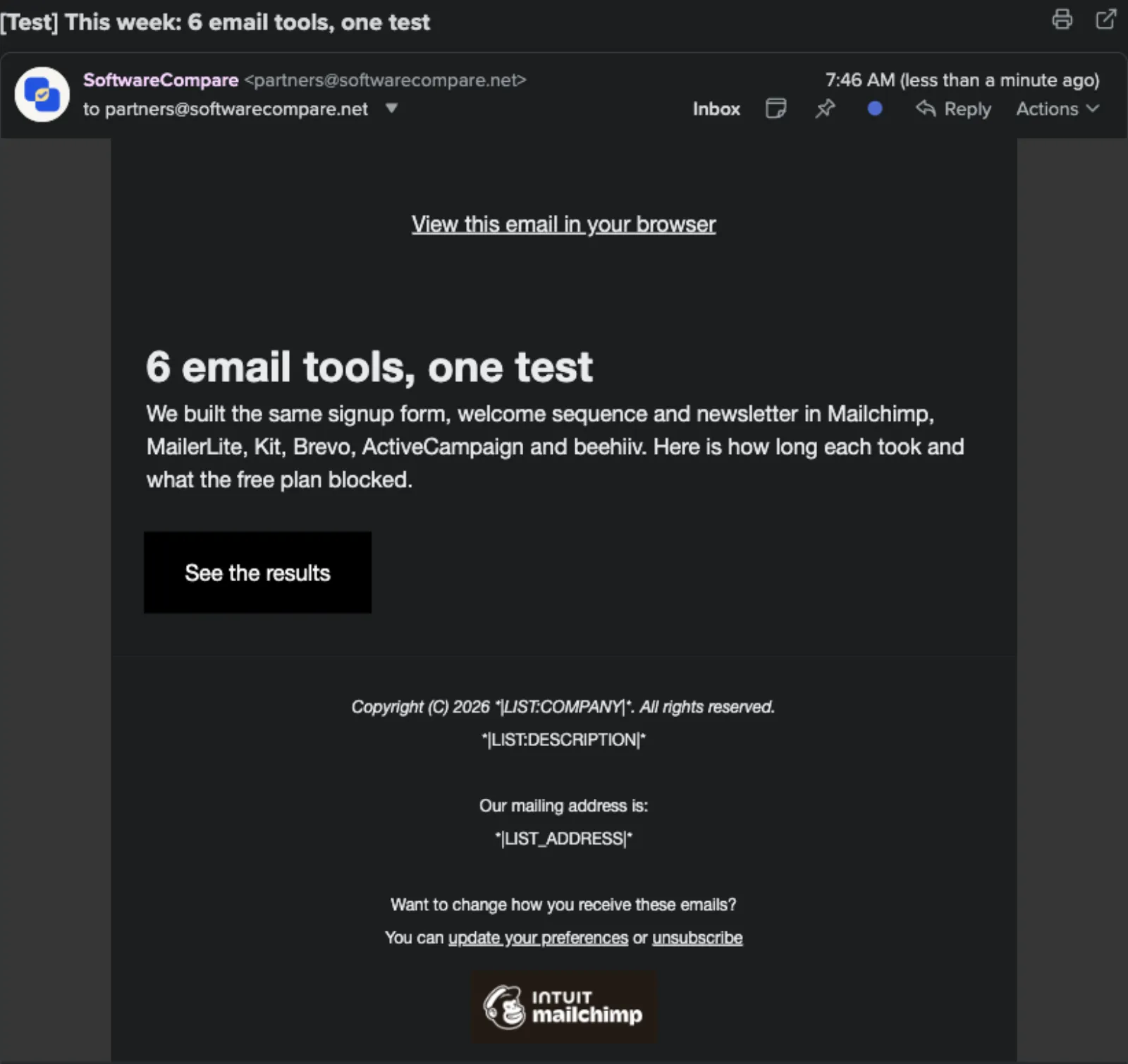
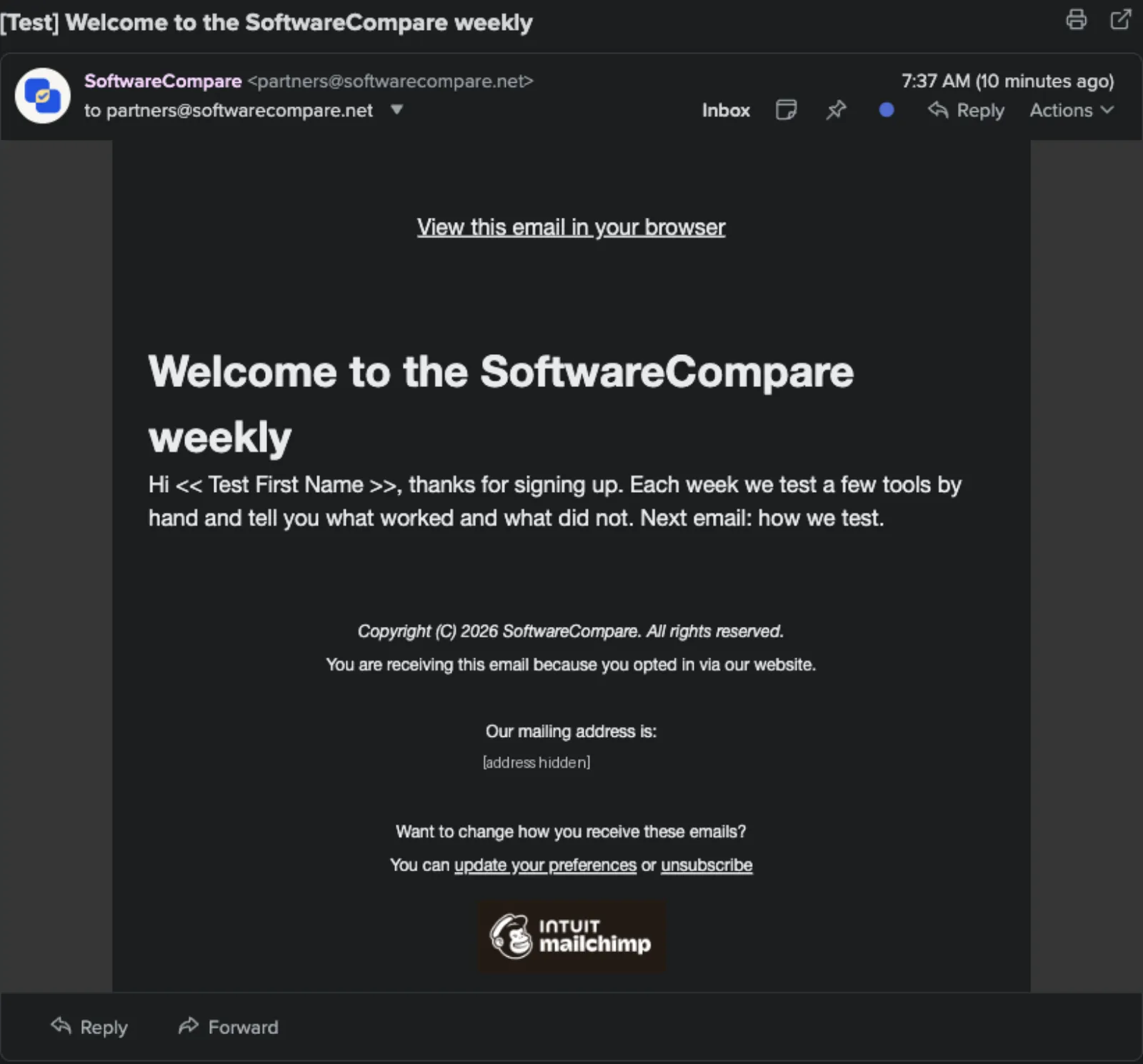
| 5 | Send test emails and check they arrived4 test sends (3 welcome emails from inside the flow, plus the newsletter), each to our review inbox only. All 4 arrived within a minute. | 50 s |
| Total | 35 min 41 s |
Screenshots from the test
What worked
- The Free plan let us build the form, all 3 welcome emails and the newsletter, and send every test.
- All 4 test emails reached our inbox within a minute.
- You can send test emails from inside a draft flow, so the welcome emails can be checked before paying to turn the flow on.
- The hosted form editor lets you edit text in place and has its own Success screen for the thank-you message.
What didn't
- The Free plan cannot turn the welcome sequence on. The flow builder says the Essentials plan includes 4 steps and Standard 100; our 3 emails and 2 delays are 5 steps, so they need Standard, which the plan picker priced from $20 a month for 500 contacts (Essentials from $13).
- There are two form builders. The embedded form had no field for intro text or a thank-you message, so we had to start again in the hosted form.
- Every email carries an Intuit Mailchimp badge on Free. Mailchimp's pricing page lists Free at 250 contacts and 500 sends a month (250 a day).
- A business postal address is required before you reach the dashboard, and it prints in every email footer.
- The newsletter test showed raw merge tags in its footer, while the flow tests filled them in. Each new email also came with a sample logo and button to delete.
Verdict
Mailchimp's Free plan built every part of our test and sent all 4 test emails, but it will not run the welcome sequence: that needs a paid plan, and our 5-step flow needs Standard, from $20 a month in the plan picker. The editors are capable once you find the right one, though the embedded form was a dead end for our thank-you message, and each email template needed clean-up. It suits small senders who want a familiar builder and can live with the Mailchimp badge, or who plan to pay for automation anyway. Times are from one run by our AI test agent through a real browser and a real account, and the sign-up time includes some of the agent's own trouble. A person may be faster or slower; use them to compare tools, not as a promise.
Same task, 5 tools
| Tool | Total time | Steps | Plan tested | |
|---|---|---|---|---|
Kit (ConvertKit) | 16 min 59 s | 5 | Free trialCreator (14-day trial, starts automatically) · $0 for 14 days, no card | Read review → |
MailerLite | 22 min 7 s | 5 | Free planFree (new accounts also get a 14-day trial of paid features) · $0 | Read review → |
 Brevo Brevo | 31 min 38 s | 5 | Free planFree · $0, no card | Read review → |
 Mailchimp Mailchimp | 35 min 41 s | 5 | Free planFree · $0 | This review |
 ActiveCampaign ActiveCampaign | 37 min 8 s | 5 | Free trial14-day free trial · $0 for 14 days, no card | Read review → |
Same task in every tool, timed from the first click to the finished result. Fastest first.
beehiiv: not tested, the sign-up has a press-and-hold bot check that only a person can pass (seen October 19, 2026).
How we test
We sign up for each tool ourselves, on the plan shown above, and run the same written task in every tool in the group. Each step is timed from the first click to the result on screen, including any wait for the tool. The screenshots come from that run.
Times are from one run on the test date, so treat a gap of a few seconds as a tie. Payment never changes a verdict.